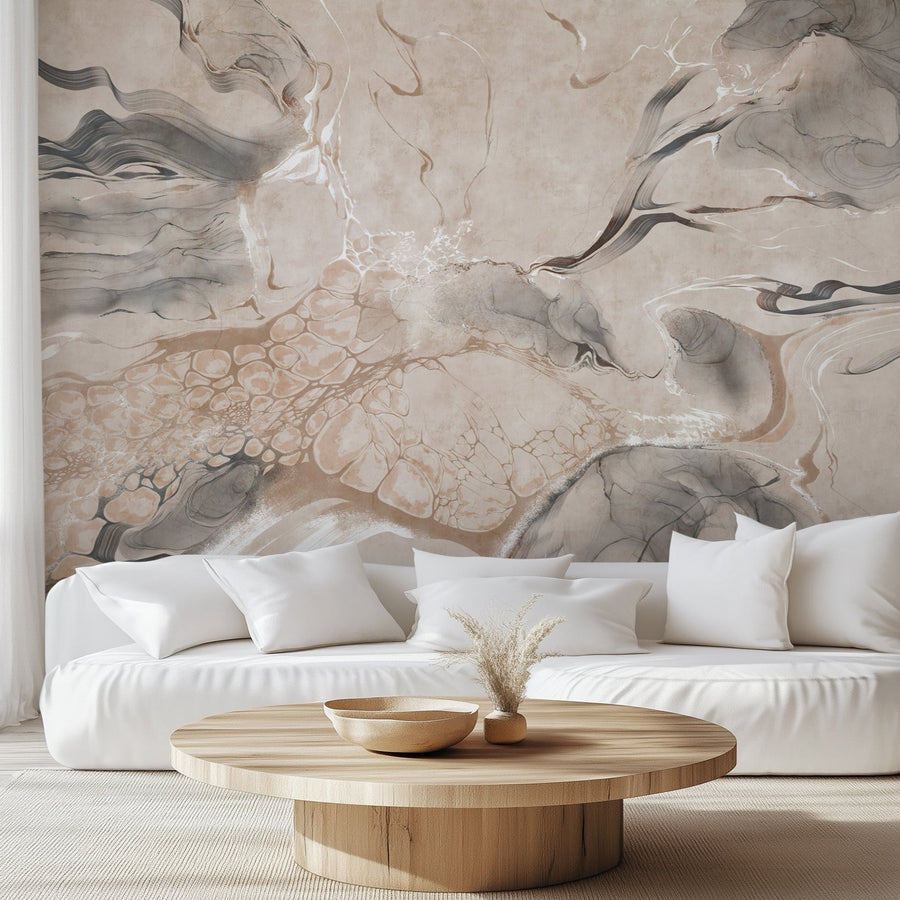
A wallpaper visualizer is a free browser tool that shows how a wallpaper design will look on your own wall before you order. You upload a photo of the room, choose a pattern, and the tool maps it onto the wall at scale — so you can judge how a design reads in your actual space instead of guessing from a small swatch on screen.
Choosing wallpaper is really about how a print works with your room's proportions, furniture, and light, and that's hard to picture from a product photo alone. This guide walks through how to preview wallpaper in your own room, how to photograph your wall so the preview is accurate, what a visualizer gets right, and where a physical sample still matters. You can follow along in our wallpaper visualizer as you read.
What Is a Wallpaper Visualizer?
A wallpaper visualizer is a free, browser-based tool that previews a wallpaper design on a room before you buy, with no app or account required. It runs in any modern web browser on a phone, tablet, or computer. You either start from a pre-designed room or upload a photo of your own space, then apply any design to see it rendered on the wall at a realistic scale. Homeowners use it to narrow down a look, renters use it to test removable designs without commitment, and interior designers use it to show clients an option before a single roll is ordered.
How to See Wallpaper on Your Wall — Step by Step
You can see wallpaper on your wall in three steps: choose or upload a room, browse and apply a design, then move from the preview to a product page or save it for later. Here's how each step works.
-
Choose a pre-designed interior or upload your own. Open the visualizer and pick from ready-made room types — bathrooms, bedrooms, living rooms, kids' rooms, and more — or click "Upload your own interior" to add a photo of your actual space. Uploading your own room is the most accurate option, and it's especially useful for designers working on a specific client project or anyone with an unusual layout.

-
Browse wallpapers by color, style, or pattern. With a room selected, filter the catalog by color (neutral, bold, dark, pastel), by style (nature, modern, vintage, Scandinavian, kids-friendly), or by pattern (floral, geometric, textured). As you select a design, the tool renders it onto the walls of the chosen room in seconds, so you can compare options side by side without leaving the page.


-
Go from preview to purchase — or save for later. When a design looks right, click through to its product page for full specs and to order, save it to your favorites to compare multiple looks, or download the preview to share with a client, partner, or friend. That direct path from preview to product is what makes the tool practical rather than just fun.

How to Photograph Your Wall for an Accurate Preview
The single biggest factor in an accurate preview is the photo you upload, so it's worth taking a good one. As a manufacturer, here's what we've found makes the difference:
- Shoot straight on. Stand square to the wall and hold the camera level, not angled up or off to the side. A straight-on shot keeps the wall's proportions true, so the pattern maps onto it without distortion.
- Use daylight, not lamplight. Photograph during the day with the room's natural light. Lamps cast a warm or uneven tint that pulls the preview away from the design's real color.
- Clear the wall. Move art, mirrors, and clutter off the wall you're testing. A clean surface gives the tool a clear area to work with and lets you see the full repeat.
- Leave a furniture edge in frame. Keeping the edge of a bed, sofa, or console in the shot gives you a built-in sense of scale, which makes it far easier to judge how large the pattern reads.
- Avoid heavy shadow. Strong shadows across the wall can skew how the color and contrast appear. Even, diffuse light gives the most reliable result.
How Accurate Is a Wallpaper Visualizer?
A wallpaper visualizer is reliable for pattern scale, composition, and how a design fills a wall, but exact color varies because every screen is calibrated differently. What you can trust is the big-picture read: whether a large-scale mural feels right for the room, how a repeat sits across the wall, and how the design works with your layout. What shifts device to device is the precise shade — the same design can look slightly warmer on one phone and cooler on another monitor. Use the visualizer to decide on scale and style with confidence, and treat on-screen color as close, not exact.
What a Visualizer Can't Tell You
A visualizer can't show you texture, sheen, or true color under your own light — the three things you can only judge in person. A screen can't convey whether a finish is matte or semi-gloss, how a woven canvas or grasscloth texture catches the light, or how your room's specific daylight and bulbs shift a color through the day. That's what a physical sample is for. Our samples are 12" × 10", produced on the same press, the same material, and the same GREENGUARD Gold certified inks as a full order, so what you tape to the wall is exactly what ships. Order a couple of your top designs, tape them up, and check them morning and evening before you commit. You can pair the visualizer with samples from our peel and stick wallpaper range to lock in both the look and the finish.
Tips for Choosing Wallpaper in a Virtual Tool
- Use real lighting. If you upload your own photo, natural daylight gives the truest sense of color.
- Consider scale. Large patterns can overwhelm a small room; the visualizer shows you exactly how each design's scale feels in your space.
- Mix and match rooms. Preview the same design in a bathroom versus a kitchen to build visual consistency across your home.
- Think long term. For feature walls or rentals, removable peel and stick gives you flexibility without a permanent commitment.
Preview Your Room Before You Order
Whether you're redecorating a bedroom, staging a room to sell, or working through options with a client, previewing wallpaper in your own space first takes the guesswork out of the decision. Open the wallpaper visualizer, upload your room, and see the design on your wall before you order.